Academic research
Share transparent methods and reproducible work with collaborators, supervisors and reviewers.
Build surveys, collect responses and analyze them in one workspace: crosstabs, weighting and reports on every plan. One price for the whole organization, not per seat.
Start freeTry Pro free for 30 days. No credit card needed.
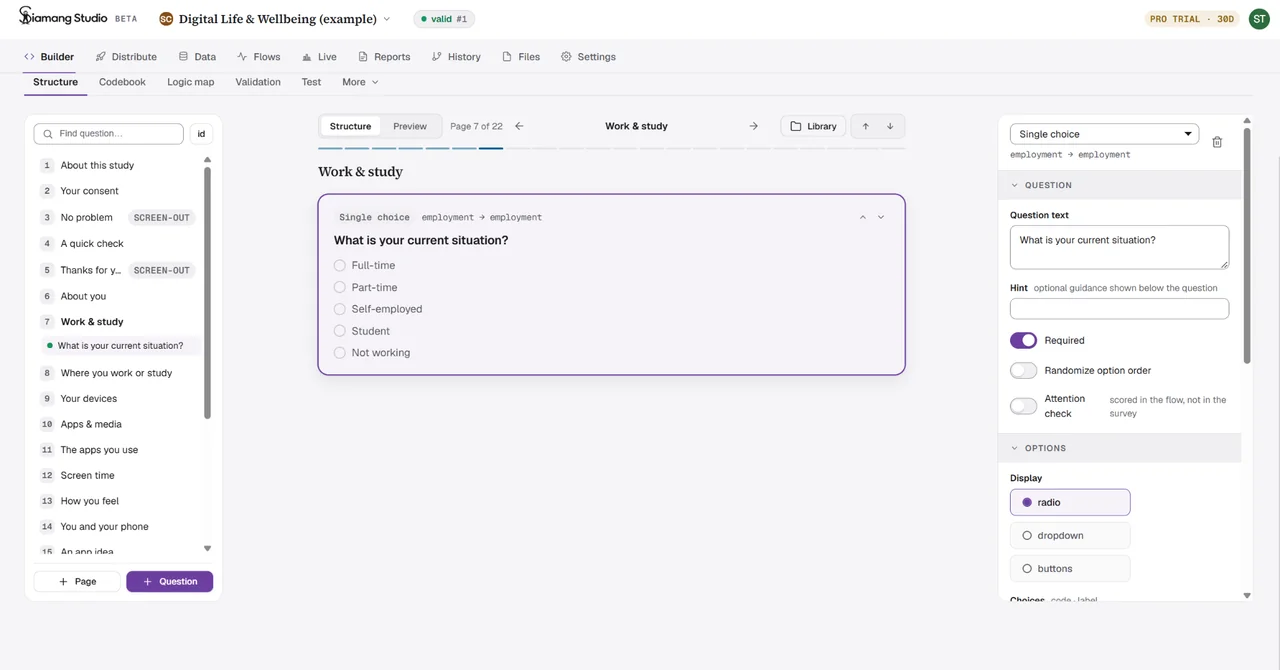
Keep the context as you move from survey design to fieldwork, analysis and reporting.
Start from a template or bring an existing survey. Build the logic, define your variables and test every route before you go live.
Run your pilot separately from the main study and choose how people reach your questionnaire. An optional captcha keeps bots out, and failed attention checks and straightlining are flagged as responses arrive.
Connect 61 node types to clean, weight and analyze your data. Inspect the intermediate results, then reuse the same workflow for the next wave.
Combine the narrative with tables and interactive charts. Give your team a complete report, with the methods and data still connected to the findings.
Every Save versions your project and generates readable Python. Download a bundle a colleague can run, inspect and build on.
Python downloads and research bundles are included on Free.
questionnaire.py + flows/Survey and analysis
data/responses.csvThe data behind the results
METHODS.mdYour research decisions
PROVENANCE.md + CITATION.cffOrigins and attribution
environment/run.shReady to rerun
Share transparent methods and reproducible work with collaborators, supervisors and reviewers.
Go from fieldwork to weighted tables and client-ready reports in the same project.
Track NPS, test concepts and understand what drives satisfaction. Reuse the analysis next wave.
Keep working with your data. Export to SPSS, Stata, CSV, Excel and Parquet.
Bring an existing survey inEvery plan includes the question types, analysis methods, history and exports.
$0/ month
Start your first study$25/ month
For ongoing research$99/ month
For growing teamsFrom$8,000/ year
Your company’s own instancePay once for the year.
Plus · 12 months$240instead of $300
Pro · 12 months$900instead of $1,188
USD per organization, per month; Corporate is billed per year. Moving from Qualtrics, SurveyMonkey or Alchemer? See how Studio compares
No. Build questionnaires and analysis flows visually. Studio generates Python for both, so you can inspect, download and run your work outside the platform when you need to.
Yes. Import Qualtrics .qsf, LimeSurvey .lss, SurveyJS, questionnaire.json or a supported questionnaire.py file. Unsupported Python constructs are reported with line numbers for review. See what each import format carries across, and how to move a Qualtrics survey and its data.
Studio covers the survey workflow from questionnaire to report, and every plan includes crosstabs, weighting and significance tests, with one monthly price for the whole organization. See Studio compared with Qualtrics, SurveyMonkey and Alchemer feature by feature.
Yes, on every plan. Export CSV, Excel, Parquet, SPSS .sav or Stata .dta, download Python scripts, and save a research bundle with data, methods and provenance.
Responses are stored without IP addresses or browser fingerprints. Open-text coding runs on the server using manual decisions and rules. The AI assistant is not connected to any model provider during the beta, so it sends no text outside Siamang.
Studio is in open beta. Create an account and get 30 days of Pro free. A Free plan is available for ongoing use, or choose a paid plan for more capacity.
Siamang Cloud, our browser IDE for teams who write surveys in Python, has been discontinued. Studio covers the whole study, from the questionnaire to the report, and the siamang engine it runs on stays source-available on GitHub.
Build your first study with the Pro toolkit.
30 days of Pro, free